Fiber optic internet consultant
Your fiber is only as fast as the box you plug it into.
I sell and set up Greenlight fiber, and the question I get on almost every install is the same one: what router should I buy? This page is my answer. Pick your plan speed below.
Not sure? Check your Greenlight bill, or text me at (585) 363-2503.
Some links here are affiliate links. If you buy through one, I earn a small commission at no extra cost to you. It doesn't change what I recommend — these are the same routers I put in my own customers' houses.
If you only read one thing
One router covers three of the four plans.
The TP-Link Archer AX55 Pro is my pick at 500 Mbps, at 1 Gig and at 2 Gig. It is cheap enough that it is not a waste on the smallest plan, and it has the multi-gig ports that most routers at its price leave out — which is the whole reason it still works when you upgrade. If you want to stop reading and just buy something, buy this.
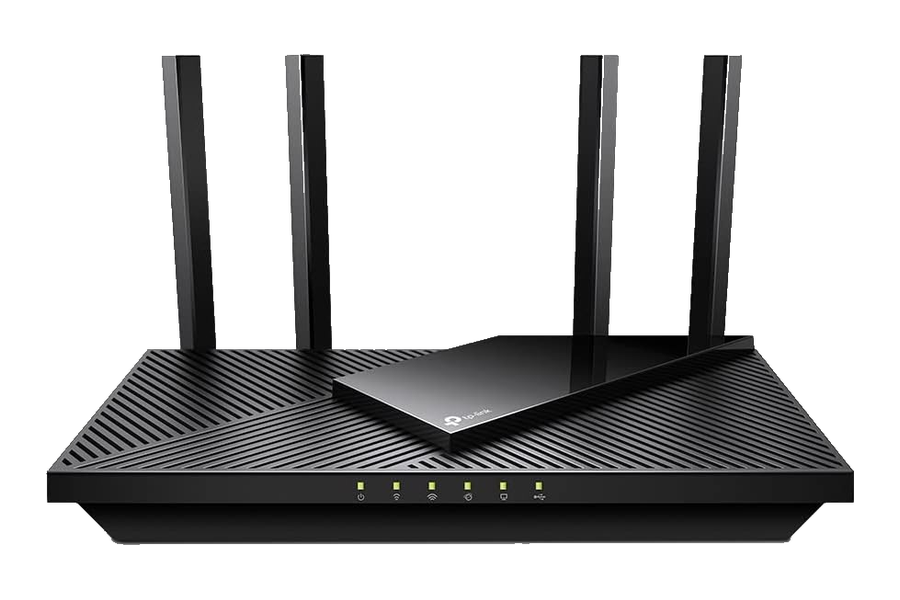
- 500MFaster than the plan, so nothing is held back
- 1 GIGMulti-gig WAN delivers the full gigabit, not 940 Mbps
- 2 GIGSecond 2.5 Gbps port feeds a wired machine past a gigabit
- SETUPAbout ten minutes in the TP-Link Tether app
Different problem
If the dead spot is upstairs, speed is not what you are missing.
Big footprint, plaster walls, a finished basement, three floors — no single router fixes that, whatever you spend on it. That is a coverage problem, and it takes two or three units working as one network. This applies on any plan, not just the fast ones.
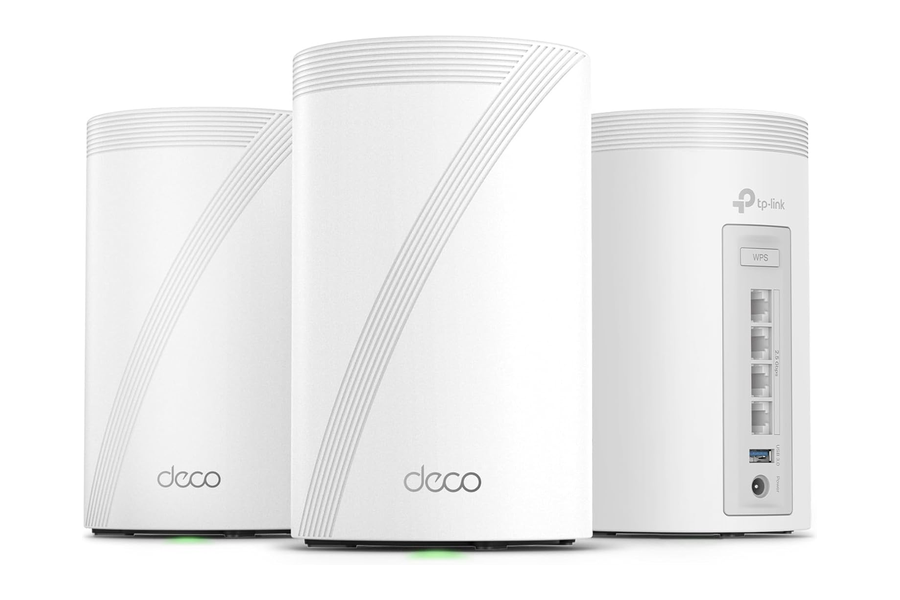
TP-Link Deco BE85
Wi-Fi 7 mesh with 10 Gbps ports on every unit, so the speed survives the trip from the basement to the back bedroom. Start with two and add a third if you need it.
- Wi-Fi 7
- Tri-band
- 10 Gbps ports
- Expandable
Move the router first.
Half the coverage complaints I get come from a router sitting in a basement corner behind the furnace. Get it central, get it up off the floor, keep it out of a cabinet, and test again. If it is still bad, then buy the mesh. Two units covers most houses — put the second one about halfway to the dead spot rather than inside it.
Everything, at a glance
The full list.
| Plan | My pick | Also good | Why |
|---|---|---|---|
| 500 Mbps | Archer AX55 Pro | Archer AX55 | The Pro costs a little more and survives a plan upgrade. |
| 1 Gig | Archer AX55 Pro | ASUS RT-BE86U | Multi-gig WAN delivers the full gig. The ASUS adds Wi-Fi 7 and 10 Gbps. |
| 2 Gig | Archer AX55 Pro | GL.iNet Flint 2 | Two 2.5 Gbps ports. The Flint 2 adds capacity and control. |
| 8 Gig | Deco BE85 mesh | NETGEAR RS700S | 10 Gbps in and out. Mesh for coverage, RS700S for a single unit. |
| Dead spots | Deco BE85 mesh | — | Coverage problem, not a speed problem. Two or three units. |
Price tiers on this page: $ budget · $$ mid-range · $$$ premium. Street prices move constantly — the link shows what it costs today.
Straight answers
Questions I get every week.
Do I have to buy my own router?
No. Greenlight will rent you one, and it works — that is the easiest option if you would rather not think about it at all. People buy their own for better coverage, more control over the network, and no monthly equipment charge. Depending on the rental fee, buying often pays for itself inside a couple of years. If what you have now is working, there is nothing wrong with keeping it.
I have a 2 Gig plan. Why does my speed test say 940?
Because the device you tested on has a gigabit port, or the router does. A 2 Gig plan needs 2.5 Gbps ports on both ends to show more than about 940 Mbps. This is the single most common reason people think their fiber isn't working.
Is Wi-Fi 7 worth paying for?
Only if your devices support it, and today most don't. A phone or laptop from 2022 will connect at Wi-Fi 6 speeds no matter what router you buy. Wi-Fi 7 is worth it if you're on 2 Gig or higher, or if you plan to keep the router five-plus years.
Is it hard to set up myself?
Not really. Everything on this page sets up from a phone app: plug it into your Greenlight equipment, follow the prompts, pick a network name and password. Most people are done in about fifteen minutes. I recommend routers rather than install them, but every brand here has phone support if you get stuck partway through.
Still stuck?
Tell me your plan and your square footage. I'll tell you what to buy.
No charge, no pitch. It is faster than reading reviews for an hour.